
Student Generative AI Use
Student Generative AI use is perhaps the most critical and least standardized aspect of instructional generative AI currently. The cognitive and socioemotional risks associated with generative AI use by students are rightfully concerning, and the popular generative AI companies (Google - Gemini, Anthropic - Claude, OpenAI - ChatGPT) have yet to establish guardrails in their products that sufficiently meet the rigorous expectations held by CPS for student safety and equitable use.
As such, students do not currently have direct access to generative AI at school. Additionally, parents and caregivers will be able to opt-out of their students having access to Generative AI in the classroom. This does not mean that students should not be exposed to AI in classrooms, especially with awareness that many students may be accessing these tools at home. In your instructional practice, consider some ways in which your students might be interacting with and learning about AI, and strategies for how you can guide them. The following sections delineate several strategies for teaching students about AI broadly, and generative AI specifically, when students don’t have individual access.

Starting with Literacy
As discussed in Leading with Literacy – student learning, like adult learning, begins with AI literacy rather than with 'how to use a tool'. This is true across all age bands. There are AI literacy and broader digital and media literacy curricular resources available in Skyline, the District’s universal PreK-12 high-quality curriculum.
Teacher-Led Activities
Effective integration of AI into your instructional practice includes explicit modeling for students of how to use the tools in ways that push their thinking and learning rather than doing the thinking for them. One strategy for familiarizing students with generative AI tools is to engage with them yourself while students watch, provide suggestions for, and direct your interaction. The following are examples of how to use generative AI tools with students in a teacher-directed manner, including several of the Student-Facing Use Cases:
- Using Gemini Notebook (formerly NotebookLM), create an interactive podcast version of the textbook chapter students are reading for homework. Play the podcast for the class and have students chime in or suggest ways for you to chime in.
- Have students direct you in using Google’s nanobanana to create images or visuals that support a text or textbook your class is reading.
- Use Gemini Notebook (formerly NotebookLM) to create an interactive study guide grounded in your course materials. At the end of a unit, before the assessment, have students ask or submit questions and confusions they still have. Share the Notebook on a screen and interact with it using students’ questions. Discuss the Notebook’s answers and outputs as a class.
- Create a Gem that is designed to have the persona of a character in a book the class is reading or a historical figure. Share the Gem on a screen and have students ask interview questions that you input into the Gem chat. Discuss the Gem’s answers as a class.
Unplugged Activities
Unplugged activities are activities that don’t require a computer and can be a powerful tool for teaching about technology with limited resources or age restrictions. Especially for younger grade bands, but relevant for all ages, there is an increasing collection of resources for teaching students about AI in an “unplugged” manner. The following are recommended unplugged resources by specific grade bands:
-
Grades 3-5
aiEDU, a non-profit that works with education systems to advance AI literacy, has built hands-on classroom games and activities designed to spark debate and ignite curiosity about AI and AI concepts for students in upper elementary school. These free activities can be found and requested at Elementary AI Explorations.
-

Grades 6-8
Led by Professor Duri Long, the Creative Interfaces Research and Design Studio at Northwestern University has developed a collection of unplugged AI literacy activities that can be used by educators and families interested in incorporating AI literacy into their middle schoolers’ curriculum, home learning, or enrichment programs. These activities require only simple craft materials, like pens, paper, glue, or string. Each activity description is accompanied by a detailed lesson plan and links to relevant resources, and they have been consolidated into a free textbook. The textbook and activities can be found at AI Unplugged Low-tech, hands-on activities to engage youth in learning about AI.
-
Grades 4-12
The Bowers Institute at The Tech, a science and technology center in California, offers a 45 minute unplugged lesson plan designed for all grade bands that teaches machine learning, the key concept behind how Artificial Intelligence functions. The free plan and relevant resources can be found at Machine Learning Unplugged.
Transparency
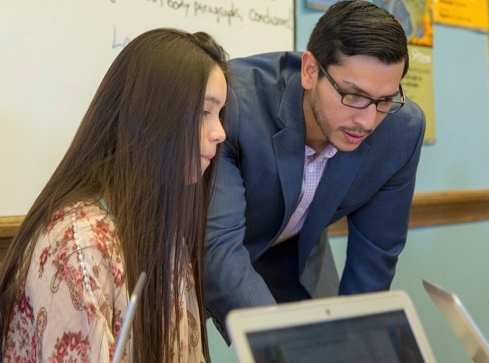 Effective integration of AI into your instructional practice includes explicit modeling for students of how to use the tools in ways that are responsible and accountable. Be transparent with your students when you use generative AI to create student-facing content. Walk your students through your process, the considerations you take into account when creating materials, and how you prompted the generative tool. In doing so, you will help build teacher-student trust around AI use, create opportunities for conversations around generative AI and AI literacy, model responsible and meaningful practices, and encourage your students to engage in the same transparency with their use. You can do this by:
- Telling your students in class that you used generative AI, how, and why.
- Adding “watermarks” to images or visuals you provide students that identify them as AI-generated.
- Including the prompt you used to generate a student-facing material as a footnote on the material (be it image, text, audio file, or other).
- Adding notes on materials you generated that cite your AI use, including why you chose to use AI.